
Character AI: Chat, Talk, Text
Character.AIEntertainment
2.182.35K Reviews
- Version
- 1.17.2
- Installs
- 50.00M
- Age Rating
- Teen
Screenshots

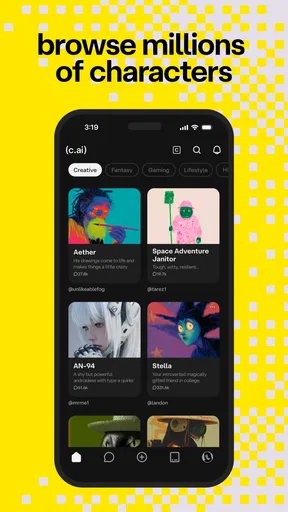
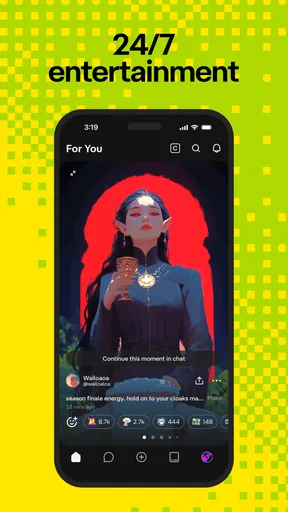

Our Review of Character AI: Chat, Talk, Text
 Analysis by Appyee
I often think of Character AI: Chat, Talk, Text as a conversation space rather than a standard entertainment feed. I can open it for a quick exchange, try a character with a very different voice, or build a scene through back-and-forth messages. That flexibility is appealing, but it also makes the app easier to lose time in than a video or game with a clear stopping point. In my experience, it works best when I arrive with a small purpose: unwind, brainstorm, or explore a fictional scenario.
A shared phone changes the experience
On a household tablet or a phone passed between family members, I would treat this as a personal app, not a shared conversation log. A character chat can contain private thoughts, role-play, or unfinished creative ideas, so handing over a device while a thread is open may reveal more than intended. I would close the app or switch away before another person uses the device, and avoid typing anything I would not want someone nearby to read.
That boundary matters even when everyone is using the app casually. One person may be inventing a fantasy story while another wants light conversation; their histories and preferred characters are not interchangeable. If several people in a home want to try it, separate personal use is less confusing than treating one open session as a family chat. I would also avoid making a character conversation the place where the household stores plans, contact details, or sensitive personal information.
Choose a purpose before choosing a character
The character catalogue can make browsing feel like the activity itself. I get more from it when I decide first whether I want a writing prompt, playful banter, or a low-pressure way to talk through an idea. That simple choice helps me find a fitting voice without hopping between chats indefinitely. It is also useful to start with a short prompt that explains the scene and the kind of response I want, rather than expecting the character to infer every detail.
For example, if I am trying to develop a scene for a story, I can describe the setting and ask the character to respond as a skeptical companion. Then I can follow up with one change at a time: make the reply shorter, have the character disagree, or shift the mood. This gives the exchange direction and makes it easier to notice when the bot has wandered away from the premise. I treat its output as material to react to, not as finished writing that needs no editing.
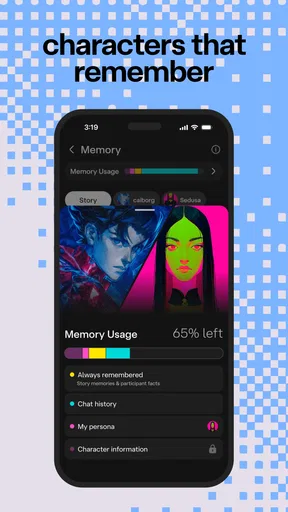
A practical habit is to restate the important constraints when a conversation becomes long. If a character forgets a detail or begins answering in a different style, a concise reminder can get the exchange back on track more effectively than arguing about the mistake. This is one of the app’s less obvious trade-offs: a chat can feel continuous, but I still need to steer it. The user’s prompt is part of the experience, not merely a first step.
Where it fits among entertainment apps
Compared with a social feed, this is less about watching what other people post and more about actively shaping a private-feeling exchange with a bot. Compared with a conventional game, there may be no fixed objective or neat ending; the fun comes from the conversation changing as I contribute. That open-endedness suits improvisation and character play, but it is a weaker fit if I want clear rules, a polished story arc, or a reliable answer to a factual question.
It also differs from a general-purpose assistant. A character can be entertaining because it stays in a role, but role-play is not the same as dependable research or practical advice. If I need a precise explanation, current information, or help making an important decision, I would use a more suitable source and check its claims. For a writing warm-up or a silly fictional exchange, though, the character-based approach can feel more inviting than typing into a blank prompt box.
Making the most of a short session
When I only have a few minutes, I use one chat and give it a clear endpoint: ask for three possible plot twists, test a character’s reaction to a dilemma, or have a short exchange in a chosen tone. The task keeps the session satisfying without requiring a long conversation. If I am using it to relax, I may instead let the scene unfold, but I still check whether I am enjoying the exchange or just continuing because the next reply is there.
Creating a character can be more rewarding when I begin with a specific contrast rather than a long biography. A cautious explorer who speaks boldly, for instance, gives me something to play against. A compact description of manner, motivation, and conversational boundaries is easier to use than a pile of unrelated traits. I would test the character with a few different prompts and adjust the description based on what comes through, rather than trying to perfect it before the first chat.
For household coordination, I would keep the app separate from shared schedules and family decisions. It can help someone rehearse a conversation or invent a story, but it does not replace a direct discussion with the people involved. If a child wants to show a funny exchange, they can choose what to share; I would not assume that an open chat is appropriate for everyone simply because the app is on a shared device.
Age, trust, and sensible expectations
The app is rated Teen, so age is worth considering before it becomes a regular part of a younger person’s routine. A rating is a useful starting point, not a substitute for a household conversation about what kinds of chats feel appropriate and what should stay private. I would encourage younger users to avoid sharing identifying details and to speak with a trusted adult if an exchange leaves them uncomfortable. Adults should apply the same common sense to their own personal information.
Trust also means remembering that a convincing voice is still generated conversation. Characters can sound confident, warm, or knowledgeable, but that tone alone does not make their claims accurate or their relationship reciprocal. I enjoy the illusion as play, while keeping a clear distinction between a responsive character and a person who knows me. That distinction is especially important if someone is using the app when lonely or looking for support: it may offer an engaging exchange, but it should not be the only source of help.
For families, I would agree on device expectations before anyone starts: whether the app is for individual use, what information should never be entered, and how to handle an upsetting or confusing response. Those are practical boundaries rather than special app controls. They make a shared device less awkward and help each person decide when to pause or move to a conversation with someone they trust.
Diving into the World of AI Characters
From the get-go, Character AI: Chat, Talk, Text presents a vibrant and engaging interface. The app is designed to let you chat with AI characters, and each one feels distinct with its own personality quirks. Whether you're looking to chat with a historical figure, a fictional character, or even a custom personality you create, the app delivers an impressive variety.
Setting Up and Exploring
Getting started is a breeze. After a quick download from the app store, I was prompted to select a character to chat with. The selection is vast, so whether you’re in the mood for a deep philosophical discussion or just some light banter, there’s an AI for that. I opted to chat with an AI version of a famous author, and let me tell you, the conversation was surprisingly coherent and engaging.
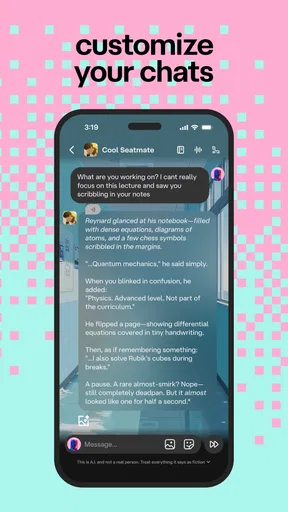
The interface is intuitive, making it easy to navigate between chats and explore different characters. There's a handy feature where you can adjust the personality traits of the AI, which adds a layer of customization that I found quite entertaining.
Chatting Like a Pro
The actual chatting experience is where the app truly shines. The AI characters are equipped with advanced language processing, allowing them to understand context and nuance better than any app I’ve tried before. The conversations flow naturally, and the AI’s responses are both witty and relevant. It’s almost like chatting with a real person, minus the awkward pauses.
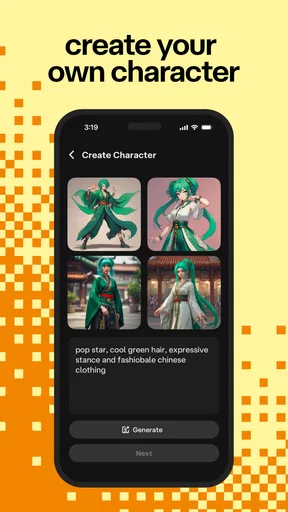
One of the standout features is the ability to create your own AI characters. You can tweak their personality settings, decide how they respond to certain phrases, and even set their background story. This feature really taps into your creative side and makes the app infinitely replayable.
Staying Engaged
What keeps me coming back to Character AI: Chat, Talk, Text is the sheer novelty of it all. Each chat session feels like a new adventure. The app updates regularly, adding new characters and features, which keeps the content fresh. Plus, there are themed events and challenges that encourage you to try out different characters and scenarios.
I also appreciate the app’s commitment to user privacy. Conversations are kept secure, and you have full control over your data, which is a big plus in my book.
Some Room for Improvement
While the app is a blast to use, there are a few hiccups here and there. Occasionally, the AI might misinterpret a question or give a bland response, especially in more complex discussions. However, these instances are few and far between, and the developers seem committed to ironing out any kinks.
Another minor gripe is the premium content. While most features are free, some of the more advanced character options require a subscription. It’s not a dealbreaker, but it’s something to keep in mind if you’re looking to explore every nook and cranny of the app.
There is also a difference between being enjoyable and being dependable. If I ask a character to carry a fictional premise, a surprising answer can be part of the fun. If I need careful factual guidance, the same confidence can become a drawback. I would use it for imagination and casual entertainment, then verify anything that matters through a reliable source.
At the time of writing, the entertainment app is developed by Character.AI, has a 3.2 average from around 2.1 million ratings, and has been installed over 50 million times. It is free to start, with optional in-app purchases ranging from $0.99 to $94.99 per item. The age rating is Teen, and version 1.15.3 supports Android 7.0 and newer. Those details make the entry point accessible, but the optional spending is worth discussing before a shared-device user starts exploring paid extras.
If someone in the home is deciding whether to spend, I would first try the free experience and judge whether the available conversations already meet their needs. A paid option is not automatically necessary for casual chats, and younger users should not be left to make purchase decisions without the household’s usual approval. The app’s appeal is in the character interaction itself, so I would avoid treating payment as a shortcut to better judgment, stronger privacy, or more trustworthy answers.
Who will enjoy it, and who may not
I recommend it most to people who like improvising, writing for fun, or exploring how different personalities respond to the same prompt. It can also suit someone who wants a small dose of imaginative entertainment during a break, provided they are comfortable guiding a conversation that may occasionally lose the thread. The ability to shape a character gives creative users more to work with than a fixed set of scripted scenes.
I would skip it if I wanted a predictable story with authored dialogue, a focused productivity tool, or a source I could rely on for high-stakes answers. It may also frustrate anyone who expects every character to remember every detail or respond consistently over a long exchange. In those cases, a conventional game, a book, or a task-specific assistant is a better fit. The app’s freedom is its main attraction, but that same freedom means the quality of a session can vary.
For a household, my verdict is that it can be a fun individual activity, not a substitute for family communication or a device everyone should casually share while signed in. Keep account use and personal chats separate, set age-appropriate expectations, and be thoughtful about optional spending. With those boundaries, I find it an unusually flexible way to play with dialogue; without them, the open-ended format can make it harder to know when a chat is private, useful, or simply taking up more time than intended.
Overall, Character AI: Chat, Talk, Text is a fascinating app that brings a unique twist to AI interaction. It’s perfect for anyone who loves to chat and explore different personalities, and it's a fun way to pass the time. Whether you’re a creative type looking to build your own AI character or just someone who enjoys quirky conversations, this app is worth a try. Download it, dive in, and see where the conversation takes you!
Verdict
Strengths of Character AI: Chat, Talk, Text
- Highly realistic AI conversations.
- Wide range of character options.
- User-friendly interface design.
- Regular updates with new features.
- Customizable AI personalities.
Limitations of Character AI: Chat, Talk, Text
- Requires constant internet connection.
- Occasional lag in response time.
- Limited offline functionality.
- Some features behind a paywall.
- May drain battery quickly.
Similar Picks in This Category
View All
Google Play Games
Google LLC3.9

Netflix
Netflix, Inc.4.8

YouTube Kids
Google LLC4.2

Disney+
Disney4.4

Prime Video
Amazon Mobile LLC4.7

Steam
Valve Corporation3.2
Frequently Asked Questions
What is Character AI: Chat, Talk, Text?
Character AI: Chat, Talk, Text is an innovative app that uses artificial intelligence to simulate conversations with fictional characters. Users can interact with a variety of personas, ranging from historical figures to fictional heroes, making it a fun and engaging way to explore storytelling and dialogue.
How does Character AI ensure user privacy?
Character AI prioritizes user privacy by implementing robust data protection measures. Conversations are not stored permanently, and user information is anonymized. Additionally, the app allows users to manage their privacy settings, ensuring that personal data is handled responsibly.
Is Character AI suitable for children?
Character AI is designed to be user-friendly for all ages, but parental guidance is recommended for younger users. The app includes content filters and parental controls to block inappropriate content, ensuring a safe and enjoyable experience for children.
What are the main features of Character AI?
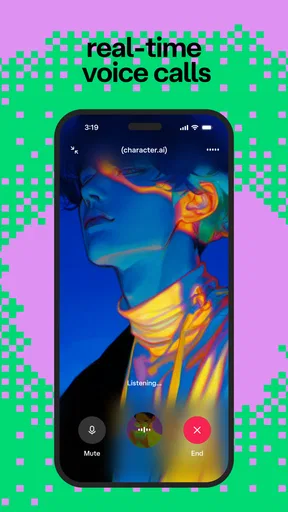
Character AI boasts a range of features, including customizable avatars, a vast library of characters, and real-time conversation capabilities. Users can also create their own characters, engage in voice chats, and explore themed storylines, enhancing the interactive experience.
Does Character AI require an internet connection?
Yes, Character AI requires an internet connection to function effectively. The app relies on cloud-based AI technology to process conversations and provide real-time responses, so a stable internet connection is essential for optimal performance.
